Skip to content
DotMate logo

DotMate

Desktop appFree

A free, offline toolbox for creators: clip, trim and merge videos, make voiceovers, transcribe and write scripts, all on your own PC.

Price
Free
Works on
Windows, macOS
Licence
MIT, open source
Account needed
None
  • Open source
  • Video editing
  • Local AI
  • Creators
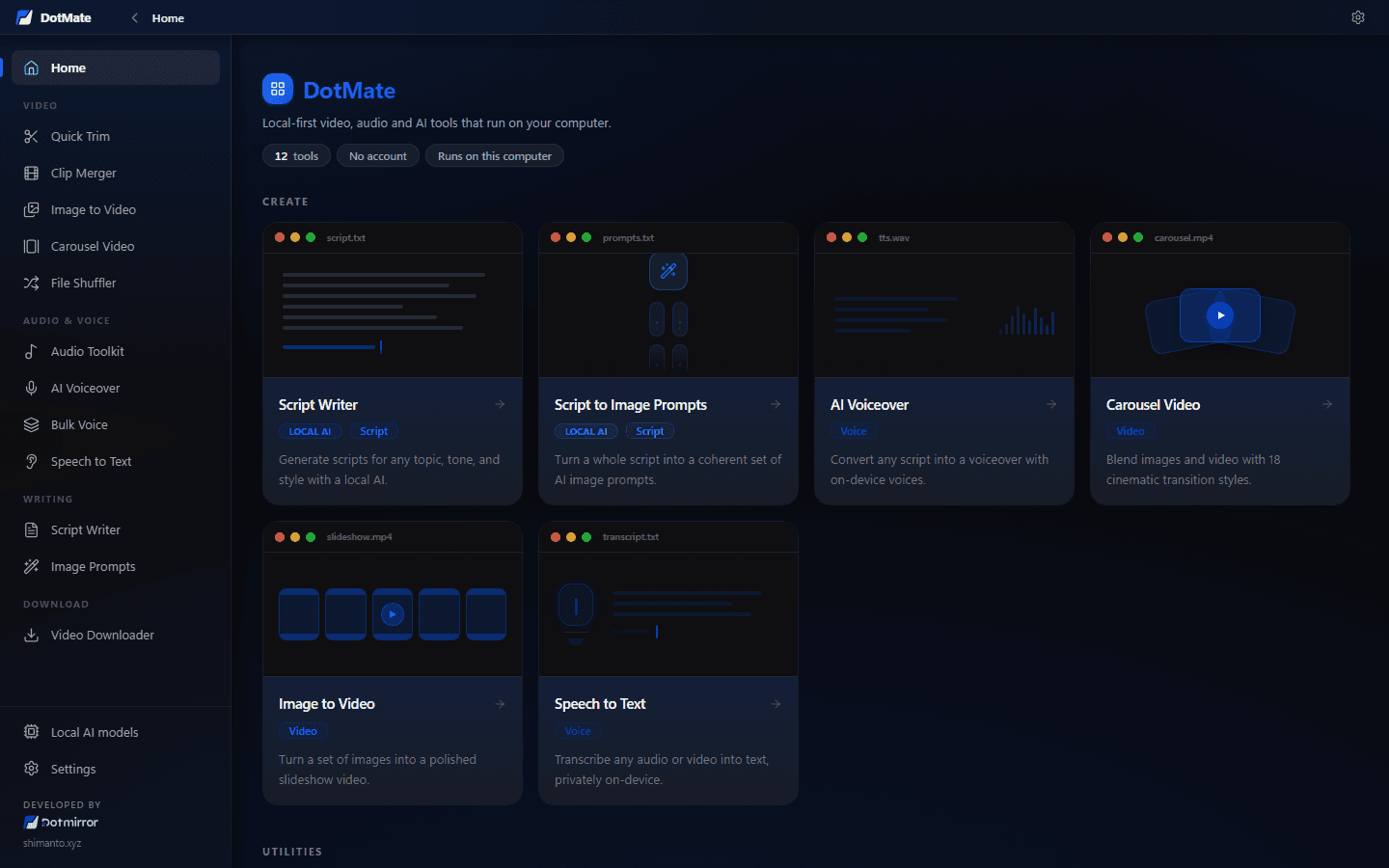
  • DotMate home screen with its video, voice, writing and download tools
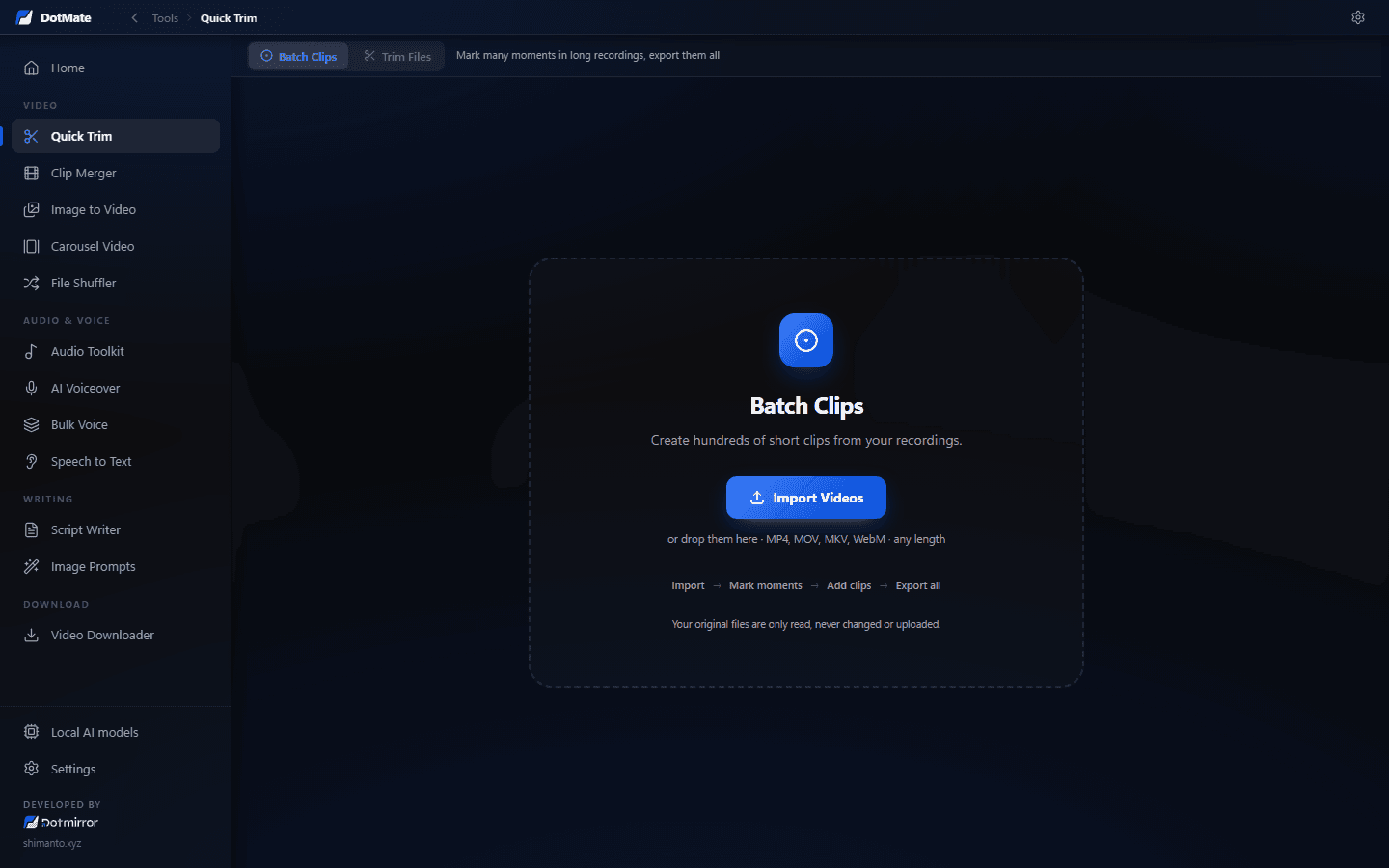
  • Quick Trim marking short clips across long recordings for batch export
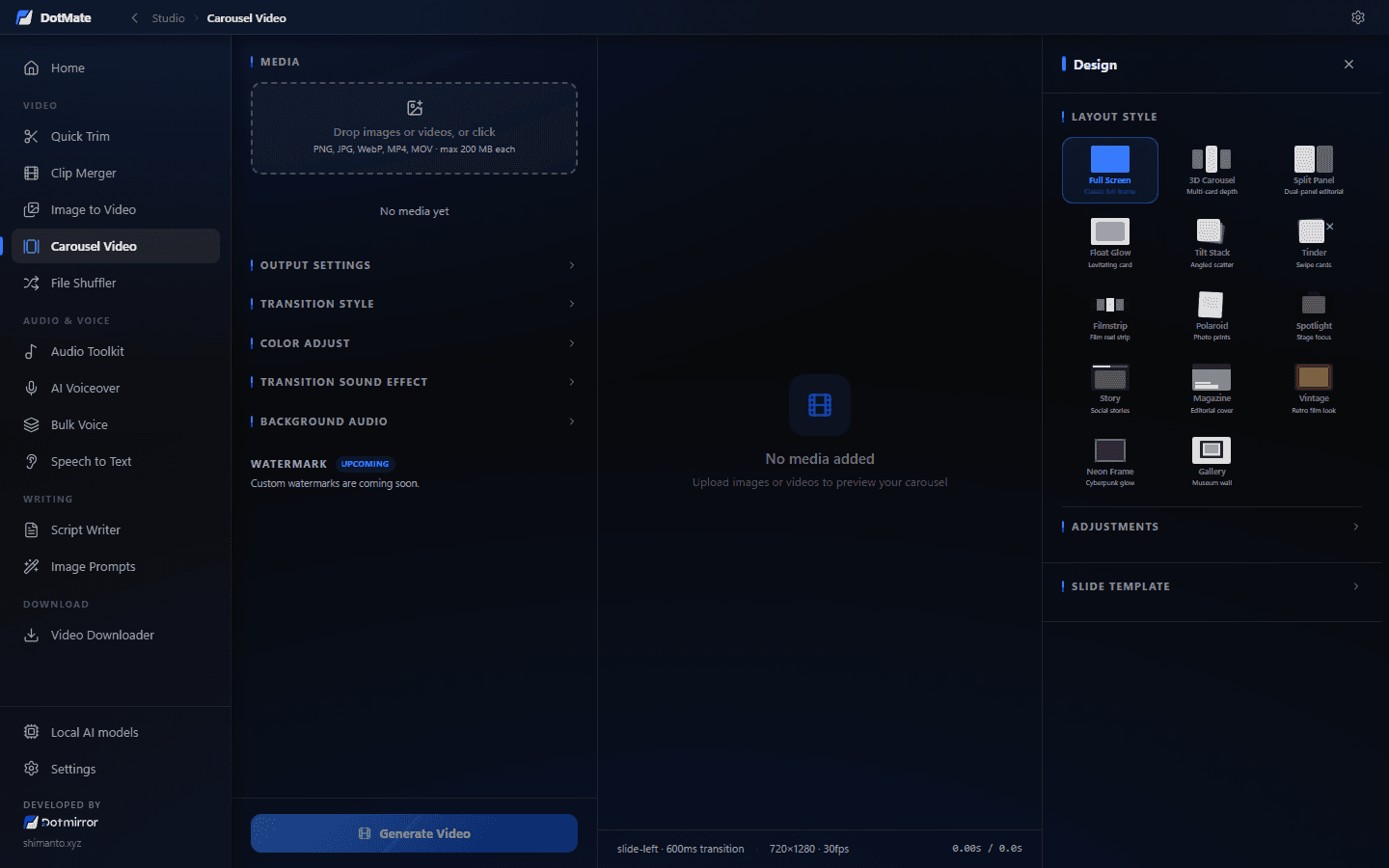
  • Carousel Video mixing images and clips with cinematic transitions and music
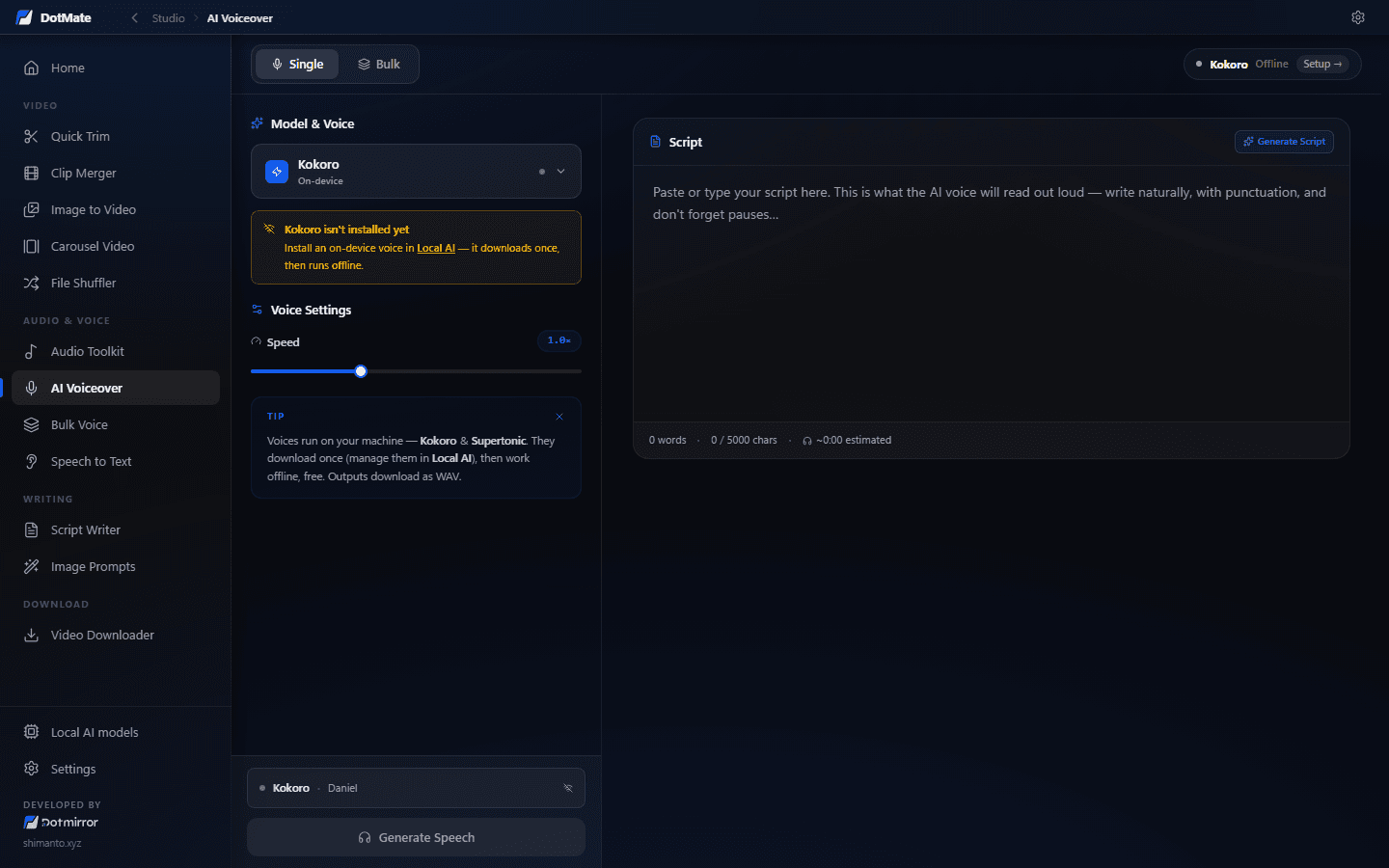
  • AI Voiceover turning a script into speech with offline Kokoro voices
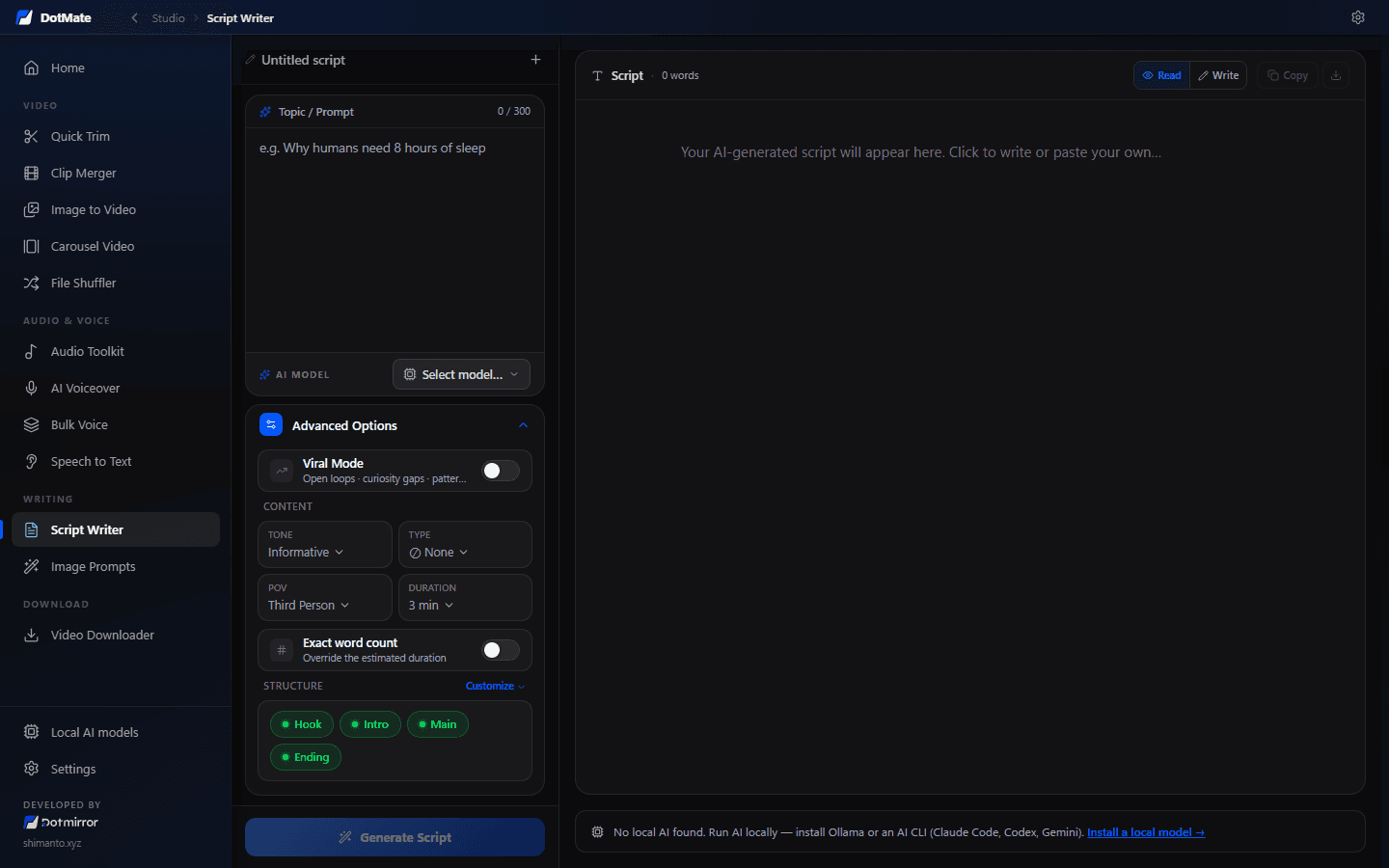
  • Script Writer drafting a video script with a local LLM
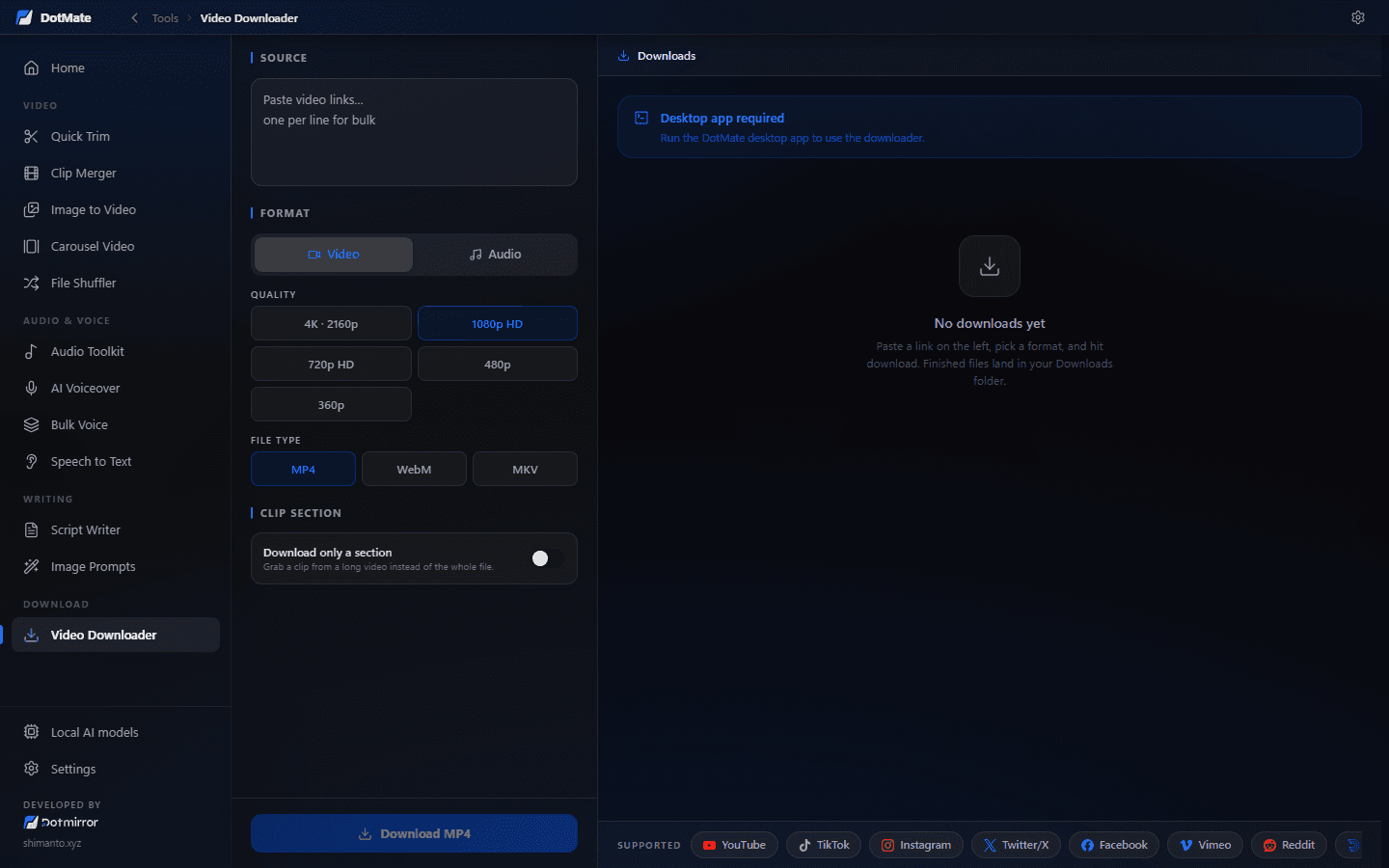
  • Video Downloader pulling videos from YouTube, TikTok and more with yt-dlp
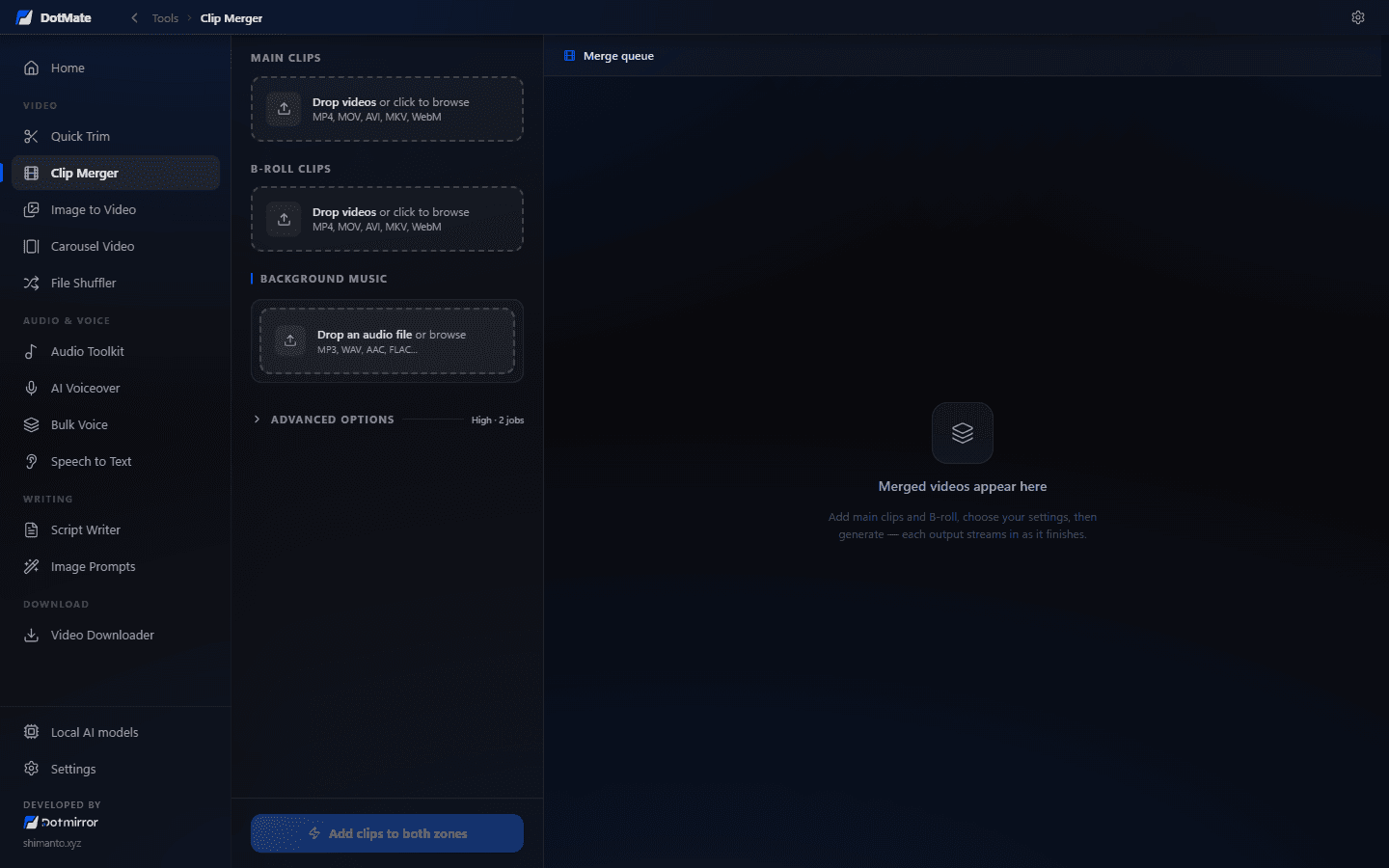
  • Clip Merger pairing main clips with B-roll and background music

01 / 07DotMate home screen with its video, voice, writing and download tools

What’s inside

12 tools.One app.

Everything DotMate does, grouped the way it is in the app.

5 tools

Video

Cut, combine and build videos in batches, at the quality you recorded them.

  • Quick Trim: import long videos, mark moments, add clips, export them all
    01

    Quick Trim

    Turn long recordings into hundreds of short clips, or batch-trim whole files with one range.

    • Batch Clips: mark as many 2.5 s moments as you like, then slide, resize or edit any clip
    • Exports clip_001.mp4 … clip_500.mp4 at the source resolution and frame rate
    • Trim Files: one draggable range for a whole batch of videos
    • Your originals are only read, never changed or uploaded
  • Clip Merger with main clips, B-roll, background music and a merge queue
    02

    Clip Merger

    Pair your main clips with random B-roll and background music, in batches.

    • Separate drop zones for main clips, B-roll and music
    • Aspect-ratio presets for Shorts, Reels and YouTube
    • A merge queue, so many outputs build in one go
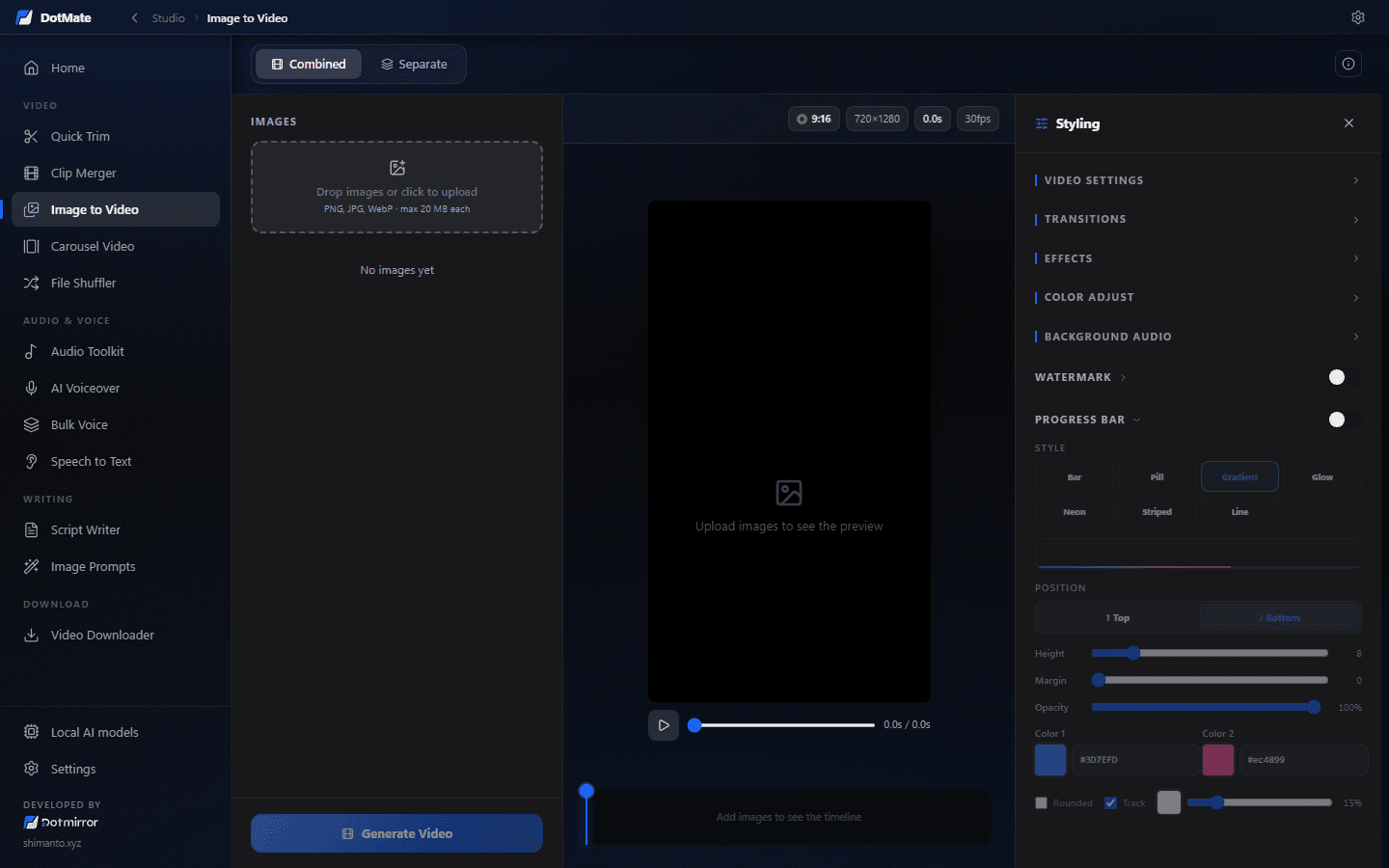
  • Image to Video: images, a live 9:16 preview and the styling panel
    03

    Image to Video

    Turn a folder of photos into a polished slideshow video.

    • Transitions, effects and colour adjustment
    • A styled progress bar and your own watermark
    • Background music, 9:16 or any size, with a live preview
  • Carousel Video with its layout styles: full screen, 3D carousel, polaroid and more
    04

    Carousel Video

    Mix images and clips into carousels made for Reels, Shorts and TikTok.

    • 18 cinematic transitions and a dozen layout styles
    • Transition sound effects and background audio
    • Colour adjustment and slide templates
  • 05

    File Shuffler

    Randomise the names, order and dates of video files, then export them as a ZIP or into a folder.

4 tools

Audio & voice

Voiceovers and transcripts from AI that runs on your own computer.

  • AI Voiceover: pick a Kokoro voice, paste a script, generate speech
    06

    AI Voiceover

    Text-to-speech on your PC, with no credits and no character limits.

    • 10 natural Kokoro voices, plus 10 optional Supertonic voices
    • Speed control, one script or many, saved as WAV
    • Runs offline once the voices are downloaded
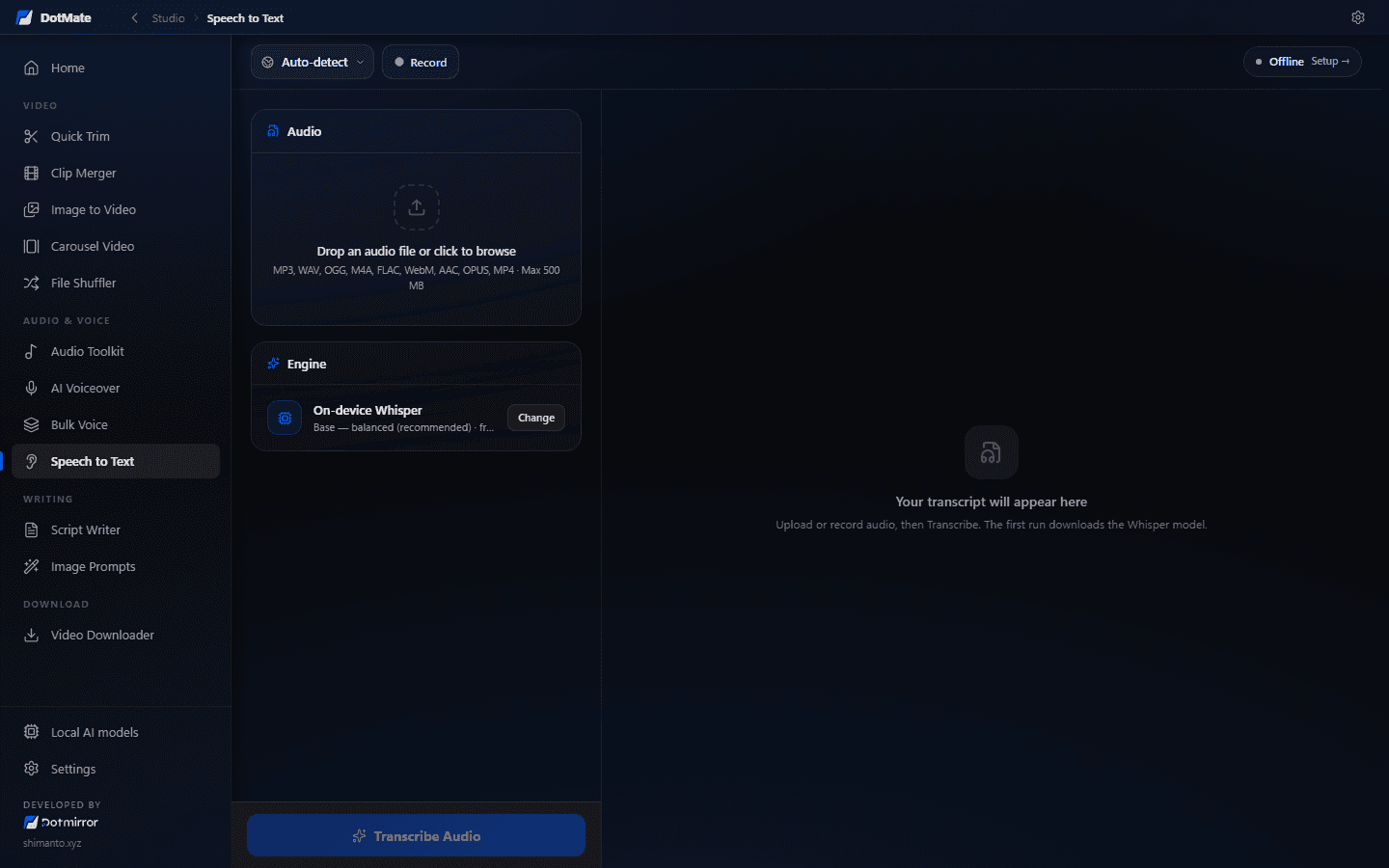
  • Speech to Text with the on-device Whisper engine and a record button
    07

    Speech to Text

    Transcribe audio, video or a microphone recording, privately, on-device.

    • Whisper tiny, base or small: pick speed or accuracy
    • Auto-detects the language, or record straight from the mic
    • MP3, WAV, M4A, FLAC, MP4 and more
  • 08

    Bulk Voice

    Turn many scripts into many voice files in a single run.

  • 09

    Audio Toolkit

    Merge, loop or extract MP3 and WAV audio from any audio or video file.

2 tools

Writing

Scripts and prompts from a local LLM, with nothing sent to the cloud.

  • Script Writer with tone, point of view, duration and structure controls
    10

    Script Writer

    Long-form YouTube and short-form video scripts, streamed as they’re written.

    • Tone, point of view, duration and structure controls
    • “Viral mode” for open loops and curiosity gaps
    • Sends the script straight to AI Voiceover
  • 11

    Script to Image Prompts

    Split a script into scenes and write a matching image-generation prompt for each one.

1 tool

Download

Grab your source material from almost anywhere.

  • Video Downloader with format, quality, file type and clip section options
    12

    Video Downloader

    Download video or audio from YouTube, TikTok, Instagram, X and 1000+ more sites.

    • Up to 4K, as MP4, WebM or MKV, or audio only
    • Paste many links at once, playlists included
    • Download just a section of a long video
    • Optional cookies.txt for sites that need a login

Local AI

The AI runs on your hardware.

Models download once from their official sources, then work offline. No API keys, no credits, no uploads.

  • 75–466 MBSpeech to textWhisperwhisper.cpp, in tiny, base or small
  • ~330 MBText to speechKokoro-82MThrough sherpa-onnx, with optional Supertonic voices
  • Your choiceScript writingOllamaLlama 3.2, Qwen 2.5 or any chat model
  • Already installedScript writingClaude Code, Codex, GeminiDetected automatically and run read-only in a scratch folder

The details

Built for power users.

  • 12 tools in a ~12 MB installer, built on Tauri 2 and Rust
  • Hardware-accelerated encoding through WebCodecs where supported
  • Guided first-run setup for FFmpeg, yt-dlp and AI models
  • Re-downloads FFmpeg or yt-dlp automatically if one goes missing
  • Render dock keeps exports visible while you switch tools
  • A guard that stops you losing a running export
  • Install, change or remove models any time in Settings
  • Light and dark themes, minimise to tray

Who it’s for

Who gets the most out of it.

  • YouTubers cutting long streams and recordings into Shorts
  • Faceless channels making scripts and voiceovers at scale
  • Reels and TikTok creators building carousels and slideshows
  • Anyone who wants creator tools without subscriptions or uploads

Private by design.

Everything runs on your own computer. Your videos, audio and scripts are never uploaded, there is no account and no telemetry. The AI models download once, then work offline.

FAQ

Good questions.

  • Is it really free?

    Yes. It’s open source under the MIT licence: no credits, watermarks, accounts or paid tiers.

  • Does it work offline?

    Yes. After the first-run download of FFmpeg and the models you choose, every tool except the Video Downloader works without internet.

  • Do I need a powerful GPU?

    No. Whisper and Kokoro run on a normal CPU. Ollama is faster with a GPU, but small models like Llama 3.2 3B work on most modern laptops.

  • Is it a CapCut, Descript or ElevenLabs alternative?

    For everyday jobs like batch trimming, slideshows, carousels, voiceovers and transcripts, yes, and it runs offline. It isn’t a full timeline editor.

  • Windows says “Windows protected your PC”. Is it safe?

    Releases aren’t code-signed yet, so SmartScreen warns about every new version. Click More info, then Run anyway. Or build it yourself from the source.

  • Does it run on Linux or Intel Macs?

    Not yet. Windows 10/11 and Apple Silicon Macs have downloads today; Intel Mac and Linux builds are on the roadmap.

Free. Go grab it.

Open source, no signup and no catch. Install it and start in a minute.

Download free(opens in a new tab)

More tools

Other things I built.

All tools
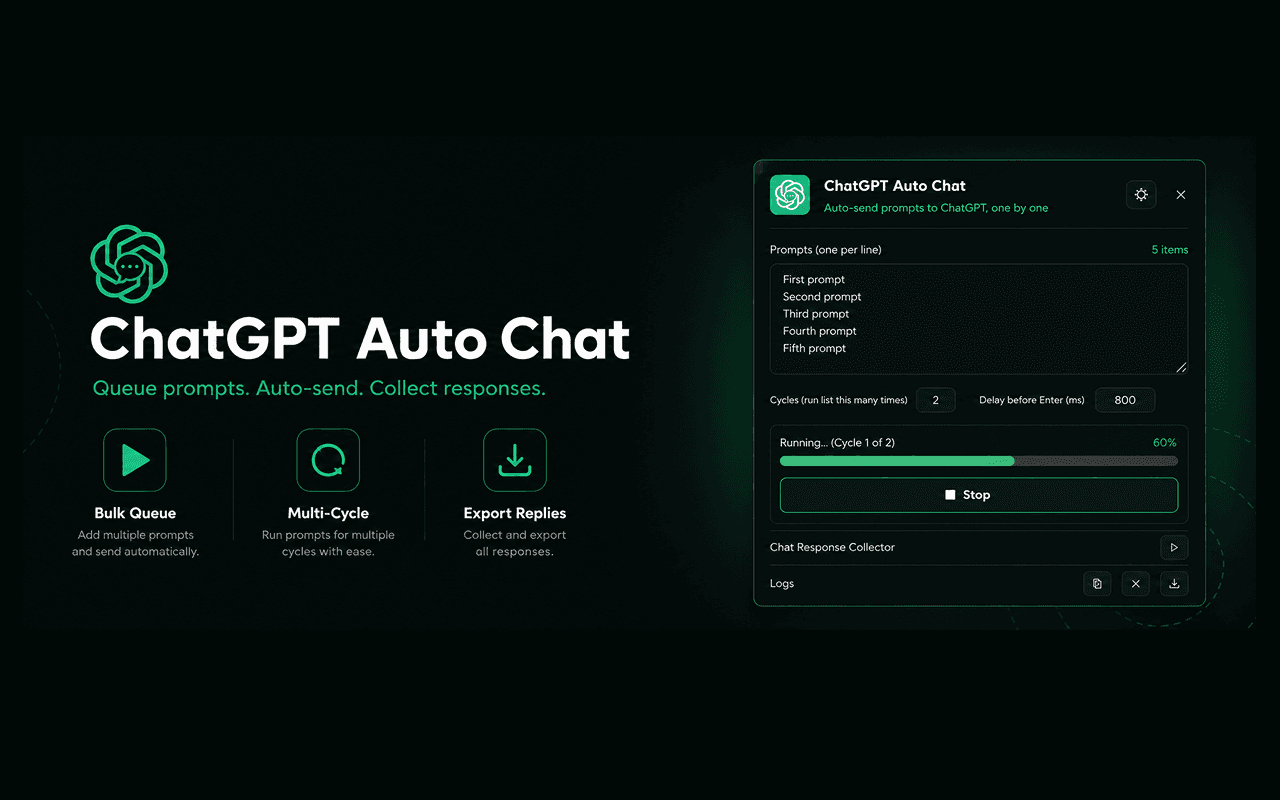
  • ChatGPT Auto Chat

    Chrome extension

    Free

    Queue up prompts and let ChatGPT answer them one by one, automatically. Then collect the replies.

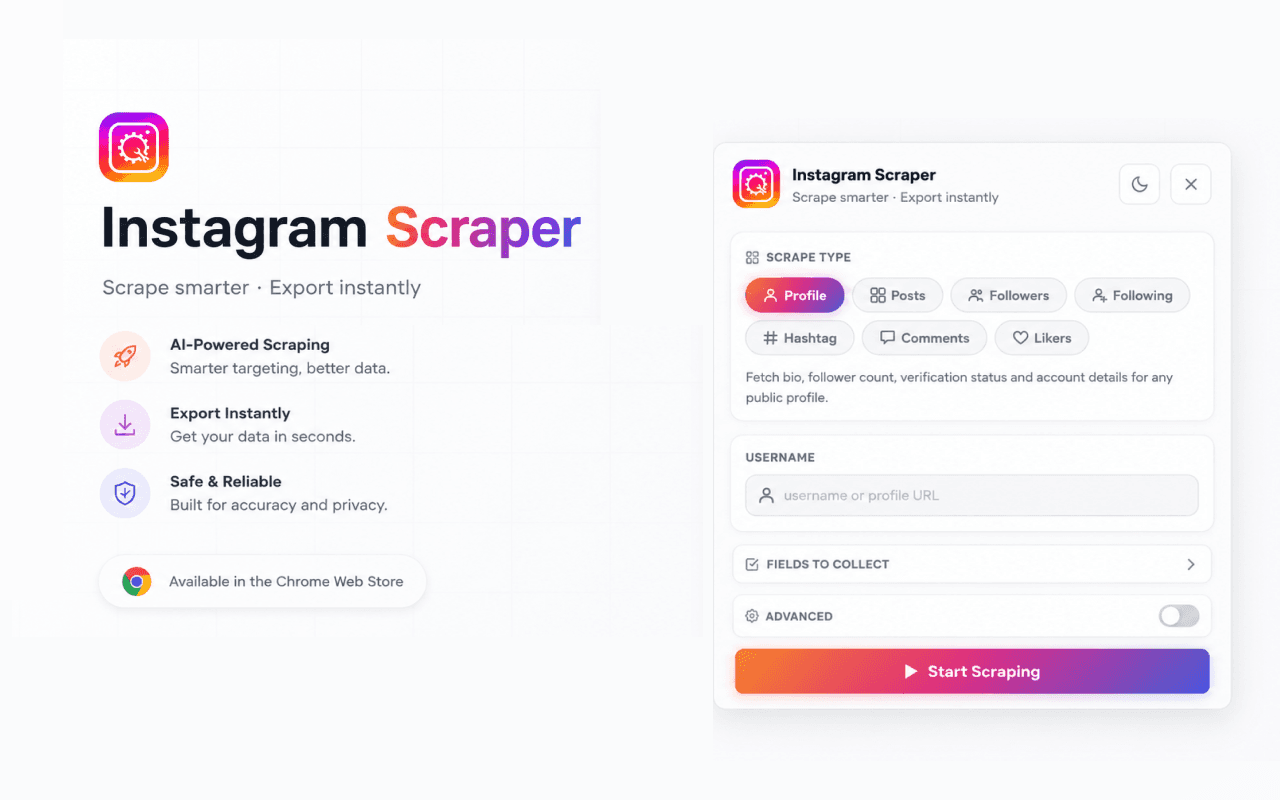
  • Instagram Scraper

    Chrome extension

    Free

    Export Instagram profiles, posts, followers, hashtags and comments to CSV or JSON in a click.